AI TOOL / #07166
GetSearchablePDF
Use OCR technology to convert PDF files into searchable documents.
Introduction
Converts PDFs to searchable documents using OCR.
What is GetSearchablePDF?
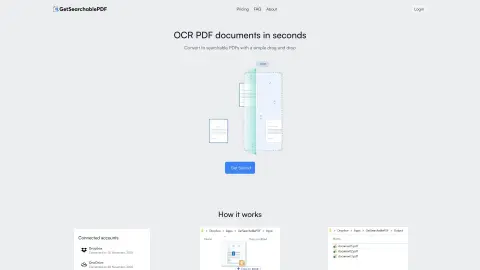
GetSearchablePDF is a service that converts PDF documents into searchable formats by utilizing OCR (Optical Character Recognition) technology. It enables users to transform scanned documents, screenshots, handwritten text, and photos into searchable files. The service places emphasis on ease of use, accuracy, and security; after processing, the files are automatically deleted within 10 minutes. It offers a subscription-based pricing model and also provides a free trial that includes 10 credits.
How to use GetSearchablePDF?
1. Connect your Dropbox or OneDrive account.
2. Drag and drop the PDF file into the input folder (or copy and paste it there).
3. Obtain a searchable PDF file!
2. Drag and drop the PDF file into the input folder (or copy and paste it there).
3. Obtain a searchable PDF file!
The core functionality of GetSearchablePDF
First-class OCR accuracy
Secure file processing (files are automatically deleted after 10 minutes).
Supports handwritten text.
Convert scanned PDF files, screenshots, handwritten text, and photos.
Secure file processing (files are automatically deleted after 10 minutes).
Supports handwritten text.
Convert scanned PDF files, screenshots, handwritten text, and photos.
Related
Selectext: Copy Text from Videos
Selectext copies on-screen text from videos, improving productivity and saving time.
Applitools Eyes
An end-to-end testing platform based on artificial intelligence that supports visual and functional testing.
ChatGPT Visioner for Screenshot Reading and Analysis
A Chrome extension that integrates screenshots into ChatGPT conversations for analysis and accurate responses.
Raster
Raster is an AI-powered digital asset management system designed for organizing, editing, and storing photos.
EaseUS ChatPDF
An AI tool that allows you to chat with PDF files and generate summaries for free.
UIsnapper
Convert UI screenshots into AI-generated prompts, enabling quick and code-free UI cloning.