AI TOOL / #07135
Selectext: Copy Text from Videos
Selectext copies on-screen text from videos, improving productivity and saving time.
Introduction
Selectext copies on-screen text from videos, enhancing productivity and saving time.
What is the Selectext AI Chrome extension/plugin?
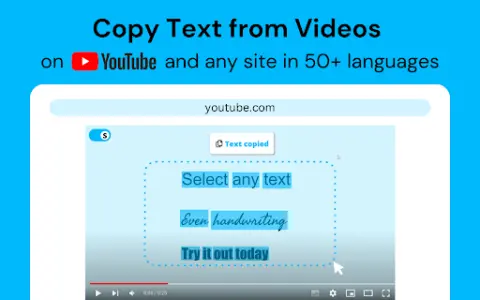
Selectext is a tool designed to make it easy to copy on-screen text directly from any video. It lets users extract text from lectures, tutorials, social media videos, and even handwritten text in seconds. It enhances the video viewing experience by adding the ability to copy text in full-screen mode, simplifying the process of extracting text from videos.
How do I use the Selectext AI Chrome extension/plugin?
Pause the video, click the Selectext toggle button in the top left corner, and select the text—it will be automatically copied to your clipboard. You can also use a keyboard shortcut (press Alt+S on Windows or Option+S on Mac).
The core features of the Selectext AI Chrome extension/plugin
Copy the text directly from the video.
Customizable menu for personalized settings
Indentation mode for copying code
Supports over 50 languages
Compatible with various video websites and local files.
Customizable menu for personalized settings
Indentation mode for copying code
Supports over 50 languages
Compatible with various video websites and local files.
Related
GoPDF
An all-round PDF editor and AI-powered management tool.
OCR
An OCR plugin used for the recognition of images and PDF text.
WhatLetter
An artificial intelligence-based document assistant, designed to translate and simplify documents in various languages.
synthesis.ai
Synthetic data used in computer vision and perception-based AI applications, covering a wide range of industries.
lenso.ai
Lenso.ai is an AI-powered reverse image search platform designed to help users find similar and related images.
CoinGPT
A free app that identifies and appraises coins, stamps, banknotes, and antiques from photos.