AI TOOL / #09919
ThinkBoxAI
An affordable AI client for Mac, Windows, and Linux that uses API keys from AI providers.
Introduction
Affordable AI client for Mac, Windows, and Linux, using AI provider API keys.
What is ThinkBoxAI?
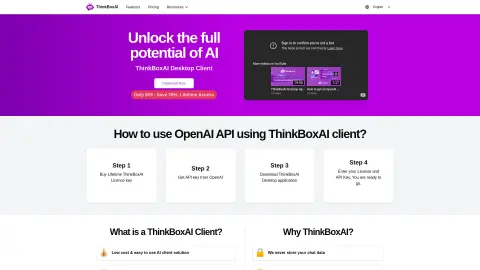
ThinkBoxAI is a secure, affordable, and easy-to-use AI client that supports Mac, Windows, and Linux. It lets users unlock the full potential of AI by using their AI provider’s API key. It offers a low-cost AI client solution, pay-as-you-go ChatGPT, customizable GPT outputs, and a ready-to-use prompt library.
How do I use ThinkBoxAI?
1. Purchase a ThinkBoxAI lifetime license key.
2. Get an API key from OpenAI.
3. Download the ThinkBoxAI desktop application.
4. Enter your license and API key. You can then get started.
2. Get an API key from OpenAI.
3. Download the ThinkBoxAI desktop application.
4. Enter your license and API key. You can then get started.
ThinkBoxAI's core features
A low-cost and easy-to-use AI client solution
Pay-as-you-go ChatGPT solution
Customize GPT output through advanced settings
Ready-made prompt library
Cross-platform compatibility
Pay-as-you-go ChatGPT solution
Customize GPT output through advanced settings
Ready-made prompt library
Cross-platform compatibility
Related
The new Faylee
A recording and reporting tool that allows programming agents to fix bugs
Kie.ai: Affordable & Secure DeepSeek R1 API
Affordable text, music, and video generation AI API with high concurrency support.
Replay QA
QA who explores applications independently to identify bugs
Noodle Seed
Platforms that enable software to connect with AI assistants
New Pilely
You can build web applications just by chatting in ChatGPT.
SuperLocalMemory
Locally prioritized AI agents share their memories.