AI TOOL / #08846
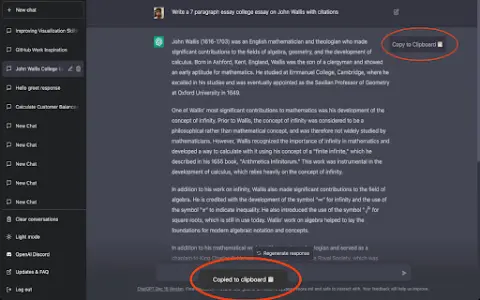
Copy for Chat GPT
An extension used to copy ChatGPT responses and check for plagiarism.
Introduction
Extension to copy ChatGPT responses and check for plagiarism.
What is the Plagiarism Detector Extension for Chrome – an extension/plug-in for Google Chrome?
This extension allows you to copy the responses generated by ChatGPT by clicking a button or using the CMD+K shortcut key, and then have those responses checked by plagiarism detection tools.
How to use the Plagiarism Detector Extension for Chrome?
You can use this extension by clicking the copy button on ChatGPT’s response or by pressing CMD+K. The copied text will be automatically checked to determine whether it contains any plagiarized content.
The core functionality of the Plagiarism Detector Extension for Chrome.
One-click to copy the response from ChatGPT
Use the CMD+K shortcut key to copy.
Automatic plagiarism detection
Use the CMD+K shortcut key to copy.
Automatic plagiarism detection
Related
FaceAge AI
A free AI tool used to detect the age of features such as the face, eyes, skin, and wrinkles in photographs.
Upful.ai Chrome Extension
Upful improves inclusion in the workplace by guiding the use of bias-free language in assessments and communications.
Roketfy
An AI-driven platform that assists Etsy sellers in utilizing intelligent tools and data to enhance their sales efforts.
Human or Not: A Social Turing Game
A social Turing game for distinguishing humans and AI bots.
Kreativespace
An AI writing toolkit designed to enhance productivity and authenticity.
Bark
Parental control service with monitoring, screen time management and location sharing features.