AI TOOL / #08230
ChaptersAI
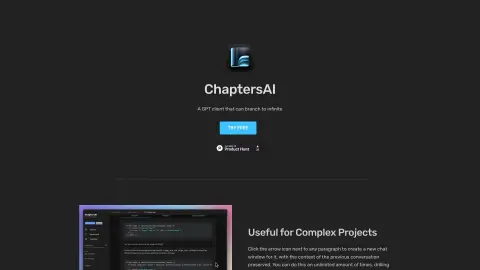
The GPT client designed for branched conversations is ideal for complex projects and in-depth analyses.
Introduction
GPT client for branching conversations, ideal for complex projects and detailed analysis.
What is ChaptersAI?
ChaptersAI is a GPT client that allows users to assign each paragraph to a separate chat window. This feature is extremely useful for working on large-scale projects and for conducting in-depth analysis of individual components. After assigning paragraphs to separate windows, users can create corresponding chat versions for each section. The project data is stored locally within the browser, ensuring privacy and security.
How to use ChaptersAI?
Click the arrow icon next to any paragraph to open a new chat window while preserving the context of the previous conversation. You can delve deeper into the details or easily return to the starting point of the discussion. You are also able to create new versions of the chat and edit system-generated messages.
The core features of ChaptersAI
The branch chat window, which is used for detailed analysis.
Version control for branch-based chats
Local storage ensures privacy and security.
System message editing
Version control for branch-based chats
Local storage ensures privacy and security.
System message editing
Related
Chatterdocs
An AI chatbot platform that enables users to create custom GPT-driven chatbots without any need for coding.
ChatGPT on Telegram
Access ChatGPT within Telegram to obtain answers and assistance quickly.
Convai
A dialogue AI API used for creating interactive characters and voice-enabled applications.
GPT-EW
A ChatGPT-powered Chrome extension that brings AI-enhanced browsing and real-time assistance to any website.
The Mofar Nebula
3D Digital Avatar Embodied Intelligence Platform
ErotiX.
An AI companion that provides personalized conversations and emotional support.