AI TOOL / #07468
Ask Screenshot for Claude
Enhance the productivity of Claude AI through screenshot analysis and text processing techniques.
Introduction
Enhances Claude AI productivity with screenshot and text analysis.
What is the Ask Screenshot AI Chrome extension/plug-in?
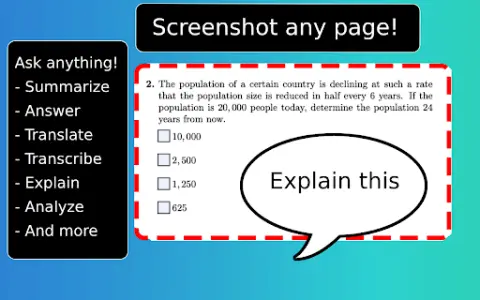
Ask Screenshot is a tool designed to enhance the productivity of Claude AI, allowing users to directly analyze screenshots or selected text within Claude AI. It offers both predefined and customizable templates for tasks such as summarization, transcription, interpretation, and translation.
How to use the Ask Screenshot AI Chrome extension?
To use “Ask Screenshot”, right-click on any page and hover your cursor over “Ask Claude” to access the available screenshot templates. For selected text, right-click on the text in question and hover over “Ask Claude” to view the relevant templates.
Discover the core features of the Screenshot AI Chrome extension/plug-in.
Screenshot analysis: Take a screenshot of the screen and automatically open it within Claude AI.
Text selection analysis: Right-click on any selected text to automatically open it in Claude AI.
Predefined templates: Use templates such as Summary, Explanation, Answer, Translation, etc.
Customizable templates: All templates can be customized to suit your workflow and specific requirements.
Text selection analysis: Right-click on any selected text to automatically open it in Claude AI.
Predefined templates: Use templates such as Summary, Explanation, Answer, Translation, etc.
Customizable templates: All templates can be customized to suit your workflow and specific requirements.
Related
Predictive Equations
AI-based image and video enhancement and analysis platform.
formNinja
FormNinja utilizes AI and document analysis to automate the process of filling out web forms.
Aquin
Aquin Lucid is an AI-driven browser focused on productivity and ease of use.
File Organizer 2000
An AI-powered Obsidian plugin for automatic note organization and formatting.
Candy
An AI-powered Chrome extension that automatically generates image file names.
PhobiaBlocker
Browser extension that uses machine learning to block fear-inducing images.