AI TOOL / #07466
Reverse image search by Copyseeker
Copyseeker image search offers advanced image-search capabilities with just a simple right-click operation.
Introduction
Copyseeker Image Search provides advanced image search capabilities through a simple right-click.
What is the Copyseeker Image Search AI Chrome extension/plug-in?
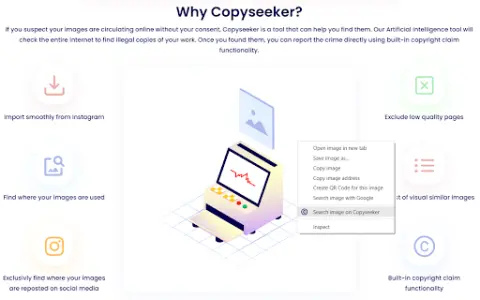
Copyseeker Image Search is a tool designed to enhance the browsing experience by offering advanced image-search capabilities. Users can right-click on any image and select “Search for this image in Copyseeker” to have the image analyzed and obtain detailed information about it.
How to use the Copyseeker Image Search AI Chrome extension/plug-in?
When browsing web pages, right-click on any image and select the option “Search for this image on Copyseeker”. Afterwards, Copyseeker will analyze the image and provide detailed information regarding it.
The core functionality of the Copyseeker Image Search AI Chrome extension/plug-in
Search for images with just one right-click.
Advanced Image Analysis
Fast and efficient results
Privacy-conscious image search
Advanced Image Analysis
Fast and efficient results
Privacy-conscious image search
Related
Identify Any Car Part Instantly with AI
Applications based on artificial intelligence can instantly identify car parts through photographs.
FaceAge AI
A free AI tool used to detect the age of features such as the face, eyes, skin, and wrinkles in photographs.
meals.chat
An artificial intelligence-powered Telegram bot designed to identify the calories, macronutrients, and ingredients contained in dietary photos or descriptions.
Fotify
Live photo sharing and RSVP management platform for unforgettable events.
RTA.POKER
Real-time assistance software ...
Image Search
Reverse image search extension, used for finding similar images, social media content, and detecting the unauthorized use of images.