AI TOOL / #07230
hahaOCR
Extract text from the image; press the ESC key to exit.
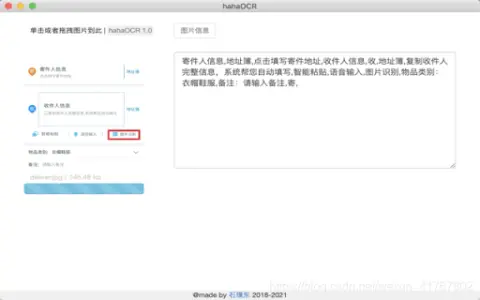
Introduction
Extract text from images and exit with ESC.
What are the Image to Text and ESC Exit App AI Chrome extensions/plugs?
This application allows users to extract text from images and convert it into editable text. Users can upload images by clicking a button and exit the application by pressing the “ESC” key.
How to use the Image to Text & ESC Exit App AI Chrome extension/plug-in?
Click the upload button to select an image. The application will automatically extract the text from the image and display it. Press the “ESC” key to exit the application.
The core functionality of the Image to Text and ESC Exit App AI Chrome extension/plugin.
Image to Text conversion
Use the ESC key to exit the function.
Use the ESC key to exit the function.
Related
Bank Statement Extractor
A tool that instantly and securely converts PDF bank statements into Excel.
DocDigitizer Invoice Extractor
Free invoice data extraction service with high accuracy.
Image Translator / Manga translator
AI-powered tools are capable of instantly translating images and comics into over 100 different languages.
OCR
An OCR plugin used for the recognition of images and PDF text.
Bichos ID de Fucesa
AI-based tools for identifying insects, spiders, and other small creatures.
QuickImages
A Chrome extension that enables AI-based image generation on any website, and offers features for theme and style customization.