AI TOOL / #06759
Chromesthesia
Capture audio tagged with relevant labels and use various audio recognition services to analyze them.
Introduction
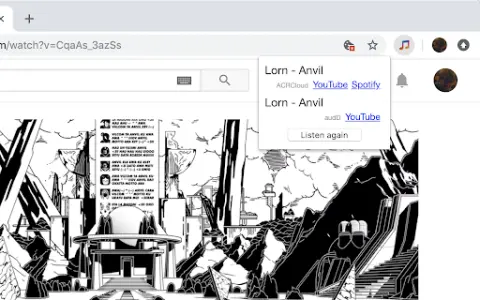
Captures tab audio and identifies it using various audio recognition services.
What are Audio Recognition Services, and what are the Chrome extensions/plugs related to AI?
This service captures the audio being played within browser tabs and sends it to audio recognition services. Currently supported services include audD (no account required; 10 free requests per day), ACRCloud (account needed, but a free plan is available), and AudioTag (account needed, but a free plan is available).
How to use the Audio Recognition Services Chrome extension?
This service captures the audio being played within browser tabs and automatically sends it to the configured audio recognition services (such as audD, ACRCloud, or AudioTag). The identified song information is then returned.
The core functionality of the Audio Recognition Services AI Chrome extension/plug-in
Capture audio from a browser tab
Integration with various audio recognition services (audD, ACRCloud, AudioTag)
Integration with various audio recognition services (audD, ACRCloud, AudioTag)
Related
Serenade for Chrome
A voice-controlled tool for coding and web navigation.
Speakatoo TTS
Speakatoo AI’s text-to-speech technology allows you to convert text into audio with just a few clicks.
STN: Lecture to Notes
A Chrome extension that converts lectures into clear and concise notes.
AudiOverFlow
AudiOverFlow is a free AI tool that converts text into audio, enabling the generation of sounds that sound natural and realistic.
ChatVocGPT
ChatVocGPT converts audio recordings into text within the ChatGPT framework.
VoiceDub
An AI platform for creating dubbing, cloning sounds, and text-to-speech conversions.