AI TOOL / #06677
Voice Control for Netflix
Use voice control to operate Netflix: play, pause, fast-forward, and more.
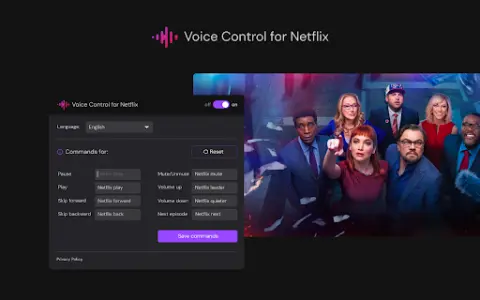
Introduction
Control Netflix with your voice: play, pause, fast-forward, and more.
What is the Voice Control for Netflix AI Chrome extension/plugin?
Netflix’s voice control allows users to manage their Netflix experience via voice commands. This includes tasks such as playing, pausing, and advancing videos, all without the need to use a remote control or touch the screen.
How to use the Voice Control feature for the Netflix AI Chrome extension/plug-in?
Simply enable Netflix’s voice control, and then use voice commands to control playback, navigate the menu, and search for content.
The core functionality of the Netflix AI Chrome extension/plugin for voice control
Use voice control to operate Netflix playback functions (play, pause, fast forward, rewind).
Hands-free navigation, Netflix menu
Voice search for films and TV shows
Hands-free navigation, Netflix menu
Voice search for films and TV shows
Related
AI Buffet – AI Article & Graphics Generator
An AI-powered platform for content creation and monetization, supporting a wide range of content types.
Altnativ
Real-time voice AI customer support is designed to retain customers and drive business growth.
SOAPME.AI
An artificial intelligence tool that automatically generates SOAP notes from audio conversations.
WhisperUI – Text to Speech
WhisperUI: Affordable text-to-speech and speech-to-text services that utilize the OpenAI Whisper API.
AI Voice Generator Bot
A Telegram bot for converting text into natural-sounding speech.
witlingo.com
Witlingo: a voice robot, chatbot and community interaction platform equipped with generative AI tools.