AI TOOL / #06632
Talk to GPT
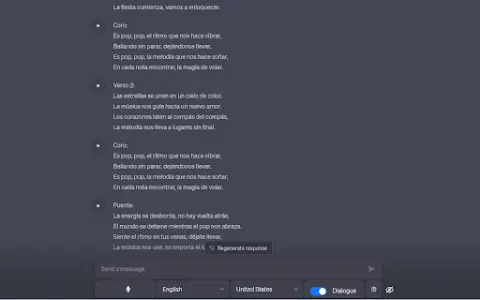
A Chrome extension designed for voice interaction with ChatGPT, supporting multiple languages and error correction features.
Introduction
Chrome extension for voice interaction with ChatGPT, supporting multiple languages and error correction.
What is the Talk to GPT AI Chrome extension/plug-in?
“Dialogue with GPT” is a Chrome extension that enables users to interact with ChatGPT on chat.openai.com via their microphone. It utilizes the browser’s speech recognition API to convert spoken audio into text and supports multiple languages. Users can also adjust the language settings and enable ChatGPT’s error-correction functionality.
How to use the Talk to GPT AI Chrome extension/plug-in?
Install the Talk to GPT Chrome extension. Visit chat.openai.com and use your microphone to utter your query. This extension will transcribe your voice and send it to ChatGPT.
The core functionality of the GPT AI Chrome extension/plug-in.
Provide voice input for ChatGPT.
Multi-language support
Language level adjustment
ChatGPT corrects errors.
Multi-language support
Language level adjustment
ChatGPT corrects errors.
Related
ThetaWave AI
An AI note-taking tool designed for students, capable of converting various formats into useful learning materials.
Verbatik
An AI platform for text-to-speech conversion and voice cloning, offering over 600 different voices and supporting 142 languages.
Instant Podcast
Short podcasts on various topics, generated by AI in response to community requests.
Memozora
A free online tool for creating flashcards, which uses spaced repetition methodology and offers dictionary functionality as well as text-to-speech conversion.
AdutorAI
AI tools convert speech into clear, structured text and support style customization.
Speakatoo TTS
Speakatoo AI’s text-to-speech technology allows you to convert text into audio with just a few clicks.