AI TOOL / #06631
Voice-to-ChatGPT
Voice-controlled ChatGPT interactions via browser plug-in.
Introduction
Voice-controlled ChatGPT interaction via a browser extension.
What is the Voice-to-ChatGPT ai chrome extension/plugin?
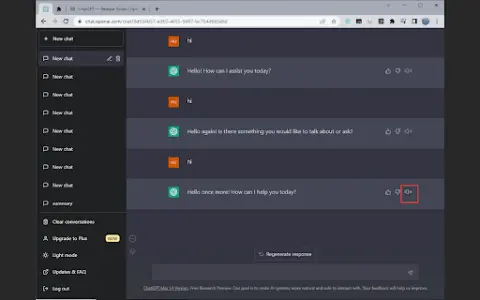
Voice Control ChatGPT is a browser plug-in that allows users to interact with the ChatGPT language model through voice. It leverages Google Chrome's speech recognition and text-to-speech technology to enable users to use voice input and audible replies from ChatGPT. Users can hold down the button to speak their question, release the button to send, and optionally cancel or edit before sending.
How to use Voice-to-ChatGPT ai chrome extension/plugin?
Open the ChatGPT homepage, press and hold the Talk button to speak, and release the button to send your question. You can cancel or edit your entry before sending.
Voice-to-ChatGPT ai chrome extension/plugin core functionality
Voice input to ChatGPT
Text-to-speech output for ChatGPT
Major languages supported
Press and talk function
Text-to-speech output for ChatGPT
Major languages supported
Press and talk function
Related
Amurex
Open-source AI: unified work processes that connect knowledge and automate tasks.
Unmixr AI
An integrated platform that offers AI-powered voice synthesis, transcription, editing tools, chat functionality, templates, and image generation services.
VoiceCanvas
An AI-based multilingual speech synthesis and cloning platform with natural language processing capabilities.
MemoMaru
Voice memo diary app with AI-driven title, emoji, and category generation.
Video Translator – Translate Video online
Video translation powered by artificial intelligence, supporting over 21 languages and featuring high accuracy.
DryRrunAI
AI tools provide feedback regarding speech techniques and content.