AI TOOL / #06463
VoiceInk
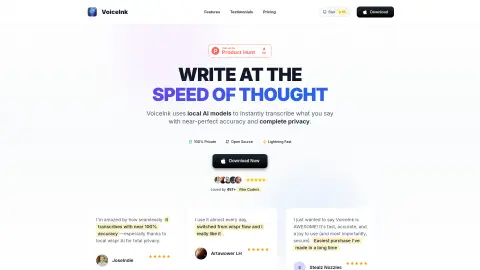
An open-source speech-to-text app for macOS that provides local AI to protect privacy and support offline use.
Introduction
Opensource voice-to-text macOS app with local AI for privacy and offline use.
What is VoiceInk?
VoiceInk is an open-source macOS speech-to-text app that transcribes what you say into text almost instantly, with near-perfect accuracy. It uses local AI models for speech transcription, supports offline functionality, and ensures data privacy. All data is stored locally, with optional AI enhancements.
How do I use VoiceInk?
Download and install VoiceInk on your macOS device. Configure a global shortcut to start and stop recording. Speak into your microphone, and VoiceInk will transcribe your speech into text. You can use the transcribed text in any application.
Core Features of VoiceInk
Accurate transcription
Privacy first
Global shortcut
personal dictionary
Smart Replacement
context-aware
AI voice assistant
Smart Mode
Custom template
Power Mode
Auto-detect
Privacy first
Global shortcut
personal dictionary
Smart Replacement
context-aware
AI voice assistant
Smart Mode
Custom template
Power Mode
Auto-detect
Related
VoiceCalc – AI Math Calculator
An AI-powered voice calculator application that enables users to solve mathematical problems instantly via voice commands.
tl;dv
AI-based note-taking assistants for Zoom, MS Teams, and Google Meet – help you record, transcribe, and summarize meetings.
Speechy
Speechy uses artificial intelligence to provide feedback and suggestions aimed at improving spoken English.
Transcribe YouTube Videos – YTScribe
YT Scribe provides instant, readable, time-coded transcripts of YouTube videos.
Dhwani
Dhwani offers affordable TTS services with flexible pricing and multiple AI voices.
Syndy
Syndy uses AI to create personalized podcasts based on user preferences.