AI TOOL / #06433
Tali AI
A Chrome extension tool for dictating medical notes and accessing medical databases within EHR systems.
Introduction
Chrome extension for dictating medical notes and accessing medical databases within EHR systems.
What is the Tali AI AI Chrome extension/plugin?
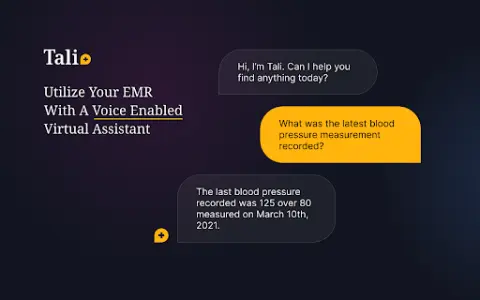
Tali AI is a Chrome extension designed to simplify medical note-taking and information retrieval, built specifically for healthcare professionals. Users can dictate notes directly into electronic health record (EHR) software via voice input and access evidence-based medical database information while using the EHR interface.
How do I use the Tali AI AI Chrome extension/plugin?
1. Install the Tali Chrome extension.
2. Sign in with your Google account.
3. Select a text area in the EHR.
4. Click the microphone icon to start dictating.
5. Speak clearly to enter notes directly into the EHR.
Core features of the Tali AI Chrome extension/plugin
Dictate medical notes directly into the EHR system.
Access evidence-based medical databases within the EHR
Speech-to-text transcription
Google Account integration
Access evidence-based medical databases within the EHR
Speech-to-text transcription
Google Account integration
Related
MimicPC AI
An open-source artificial intelligence platform that offers customizable AI tools and models.
Smart Media Cutter
Software equipped with AI-driven capabilities for lossless video and audio editing.
Read It
Utilize AI voice synthesis technology to convert news bulletins and articles into audio podcasts.
Content Render
A fully functional AI content generator capable of creating text, images, audio, video, and chat content.
RecCloud
A free online platform for video recording, editing, and multimedia services powered by AI.
Cloud Contact Center Services
A cloud contact center platform for businesses of all sizes, delivering AI-powered communications.