AI TOOL / #06135
Ask Screenshot for ChatGPT
Improve ChatGPT productivity by analyzing screenshots and selected text.
Introduction
Enhances ChatGPT productivity by analyzing screenshots and selected text.
What is the Ask Screenshot AI Chrome extension/plugin?
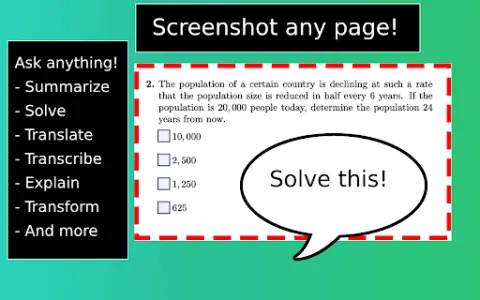
Ask Screenshot is a tool designed to improve productivity in ChatGPT, allowing users to analyze screenshots or selected text directly within ChatGPT. It offers features such as summarization, transcription, and translation, making it easier to extract information and process content from visual and textual sources.
How do I use the Ask Screenshot AI Chrome extension/plugin?
To use Ask Screenshot, right-click anywhere on any page and hover over Ask GPT to access the available screenshot templates. For selected text, right-click the selected text and hover over Ask GPT to view the available templates.
Core features of the Ask Screenshot AI Chrome extension/plugin
Screenshot and analyze: Take a screenshot and automatically open it in ChatGPT for analysis.
Text selection and analysis: Right-click any selected text to automatically open it in ChatGPT.
Text selection and analysis: Right-click any selected text to automatically open it in ChatGPT.
Related
autoTranslate – translate sites & dictionary
A tool designed for automatic web page translation, equipped with a variety of useful features.
Sync Labs
An AI video lip-syncing tool that enables real-time lip synchronization and seamless translation.
TwinMind
An AI-based second brain that captures, transcribes, summarizes, and delivers actionable insights.
Glia
AI contact center software that unifies digital and voice customer experience.
ChatGPT Voice Assistant
The voice-activated ChatGPT interface supports text-to-speech conversion and multiple languages.
VoiceChanger.im: AI Voice Cloner & Text to Speech Free Online
An AI voice converter that is used to transform sounds in order to facilitate content creation and protect privacy.