AI TOOL / #05988
NaviVoice: Voice Input Productivity Assistant
Voice-activated assistant that enables hands-free computer control and web browsing.
Introduction
Voice-operated assistant for hands-free computer control and internet browsing.
What is the NaviVoice AI Chrome extension/plugin?
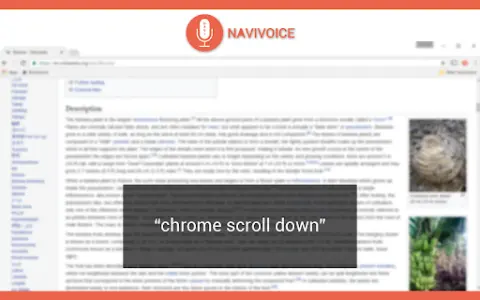
NaviVoice is a voice-controlled productivity assistant that allows users to control their computers and browse the internet using only their voice. It eliminates the need for typing and clicking, making it ideal for users with hand injuries or those who prefer a hands-free experience.
How do I use the NaviVoice AI Chrome extension/plugin?
Install NaviVoice and use your microphone to give voice commands. Say "chrome help" to view available commands.
Core Features of the NaviVoice AI Chrome Extension/Plugin
Voice-Controlled Web Browsing
Click the link using a voice command
Navigate to the website using voice commands
Enter text into a form using voice commands
Control YouTube Videos with Voice Commands
Click the link using a voice command
Navigate to the website using voice commands
Enter text into a form using voice commands
Control YouTube Videos with Voice Commands
Related
Talking ChatGPT
Extensions for voice-to-text and text-tovoice conversion used with ChatGPT.
Speechllect
Real-time speech recognition/speech synthesis solutions that utilize artificial intelligence-based semantic theories for complex audio processing tasks.
IListen AI
iListen.ai turns articles and web pages into concise podcasts for easy learning.
Voiceform
Voiceform allows users to create conversational surveys and forms using voice, video, audio, and text.
AISpeak
AISpeak is an artificial intelligence platform designed to help people practice and improve their English speaking skills.
Gliglish
An AI language-learning app that helps users practice speaking and listening through conversation.