AI TOOL / #04207
StudyPal AI – Ultimate Homework Helper
A Chrome extension that allows users to quickly obtain AI-generated answers while browsing web pages.
Introduction
Chrome extension for quick, AI-powered answers within webpages.
What is the StudyPal AI Chrome extension/plug-in?
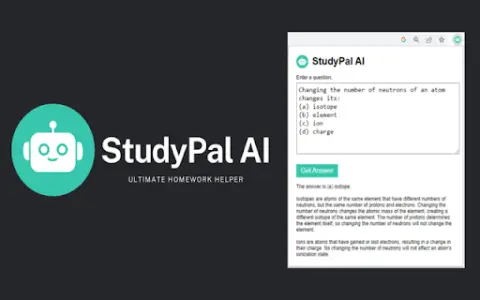
StudyPal AI is a Chrome extension designed to help users quickly locate answers to questions on web pages. By highlighting relevant text and clicking the extension icon, an AI-powered search engine will automatically fill in the question and provide quick and convenient answers, allowing users to stay on the same page without having to leave it.
How to use the StudyPal AI Chrome extension/plug-in?
Install the Chrome extension. Highlight the text on the web page, and click on the StudyPal AI icon in the browser toolbar – the AI will then find the answer for you.
The core functions of the StudyPal AI Chrome extension/plug-in
AI-powered search engine
The highlighted text is automatically used to fill in the search box.
Quickly obtain the answers and explanations.
No need to leave the web page.
Manually enter the options related to the question.
The highlighted text is automatically used to fill in the search box.
Quickly obtain the answers and explanations.
No need to leave the web page.
Manually enter the options related to the question.
Related
Empatyzer
AI-based communication and happiness coaching integrated into daily tools.
AnyQuestions.ai
An AI tool that accurately answers questions by reading and referencing the files you have uploaded.
Topiq
An artificial intelligence-based platform designed to monitor company news and send concise summaries via daily emails.
Meta Movie
Netflix Overlay displays information cards during video playback to enhance the viewing experience.
Shift-Ctrl-F: Semantic Search for the Browser
A Chrome extension that uses MobileBERT to search for and highlight answers on web pages.
ChatGPT News De-ensationalizer – Generate less biased headlines
A Chrome extension for neutral news headlines.