AI TOOL / #04118
CEBot
Qualcomm CE's question-answering system based on large language models.
Introduction
LLM based Q&A system for Qualcomm CE.
What is the Qualcomm CEBot AI Chrome extension/plug-in?
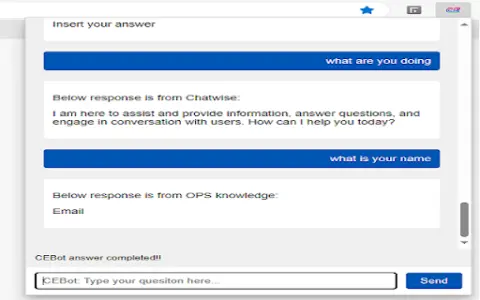
QCOM CEBot is a question-and-answer system based on large language models, specifically designed for Qualcomm CE devices. It can be used by clicking with the left mouse button or by pressing Ctrl+Shift+Z.
How to use the Qualcomm CEBot AI Chrome extension/plug-in?
Use CEBot by clicking with the left mouse button or pressing Ctrl+Shift+Z.
The core functions of the Qualcomm CEBot AI Chrome extension/plug-in
Question-answering system based on large language models
Related
SkillMapper: Social Highlighter & Bookmarker
A learning center and a Chrome extension designed to help users save, organize, and discover learning materials.
SpeakNotes
Tools based on artificial intelligence, used to transcribe and summarize audio and video content into concise summaries.
KBAnywhere
A Chrome extension that provides easy access to knowledge bases such as Zendesk and HelpScout.
How About…? (How?)
AI-powered I Ching interpretat...
Track Titan
An AI-driven racing simulation coach that offers personalized recommendations and professional settings to enhance driving performance.
Final Round AI
AI interview assistant, offering real-time transcription and personalized support.