AI TOOL / #03966
OneClick AI
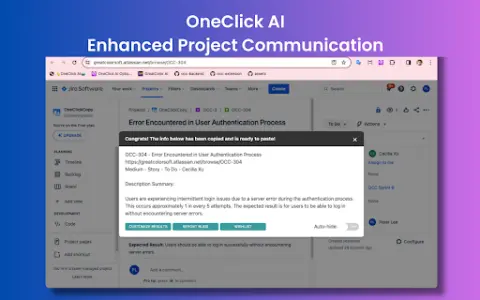
OneClick AI simplifies workflows by allowing users to extract and summarize content with just one click.
Introduction
OneClick AI streamlines workflows by extracting and summarizing content with a single click.
What is the OneClick AI Chrome extension/plugin?
OneClick AI is a tool designed to streamline workflows by enabling one-click extraction and summarization of content. It enhances productivity in areas such as project management, cross-team collaboration, personal research, and information sharing. The tool allows users to customize the appearance of the results, and all extracted data is immediately copied to the clipboard for further use.
How to use the OneClick AI Chrome extension/plug-in?
You can activate OneClick AI by clicking on the expansion icon in the toolbar, right-clicking to open the context menu, pressing the shortcut key, or right-clicking on the expansion icon in the toolbar.
The core functionality of the OneClick AI Chrome extension/plug-in
One-click extraction and summarization of content
Multilingual summary
The result is automatically copied to the clipboard.
Multilingual summary
The result is automatically copied to the clipboard.
Related
Ithy AI
Ithy leverages cutting-edge artificial intelligence to provide comprehensive and high-quality answers to complex questions.
EngineerNow
A platform for engineers to create their resumes and pursue their career development.
ProjectAI
ProjectAI: Learn programming through real-world projects and step-by-step guidance.
Picture Translate
An online tool that can translate text within images into multiple languages, available for free use.
tl;dr: GPT3 News Summarizer
An AI-based news summary tool that uses GPT3 to extract information quickly and efficiently.
Memowise
A tool designed for collecting, organizing, and reviewing online reading notes.