AI TOOL / #03399
Snipo
Snipo allows users to record video notes with timestamps in Notion and generates AI-based flashcards as a result.
Introduction
Snipo takes timestamped video notes in Notion with AI flashcards.
What is Snipo?
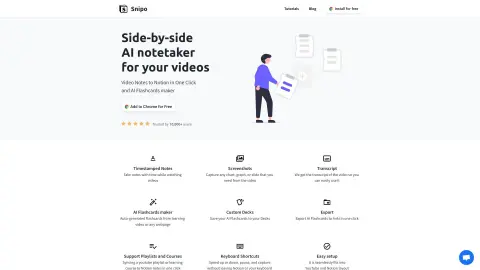
Snipo is a tool that allows users to take timestamped notes directly within Notion while watching videos. As users navigate through the content, the tool synchronizes seamlessly with the course material. Its features include split-screen mode, screenshot capture, and video clip recording. It also enables the creation of AI flashcards from learning videos or any web pages.
How to use Snipo?
Install the Snipo Chrome extension. When watching videos on platforms such as YouTube, Udemy, Coursera, Skillshare, or LinkedIn Learning, use Snipo to take timestamped notes, which will be automatically synchronized to your Notion workspace. You can also capture screenshots and video segments, and use these to generate AI flashcards based on the video content.
The core functions of Snipo
Take notes with timestamps in Notion.
AI flashcard generation
Screenshot and video clip capture
Accessible text transcription
keyboard shortcuts
Supports the playback of playlists and courses.
AI flashcard generation
Screenshot and video clip capture
Accessible text transcription
keyboard shortcuts
Supports the playback of playlists and courses.
Related
ResearchBuddy.app
ResearchBuddy automatically generates literature reviews and briefs.
Adster AI Summarizer Extension
Summarize and discuss lengthy news reports as well as blog articles.
PureStrength
An AI personal trainer designed to help correct posture and enhance lifting strength.
Manifest AI
An iOS app that utilizes artificial intelligence to enhance and facilitate the achievement of personal goals.
GistReader
An AI-powered online reader designed to summarize articles and remove any distracting elements.
Noam – ChatGPT translate assistant & Deep Translation
An AI translation plugin designed for the translation of immersive web content.