AI TOOL / #02660
Grok Button
A browser extension that provides quick access to Grok AI.
Introduction
A browser extension for quick access to Grok AI.
What is a Grok Button?
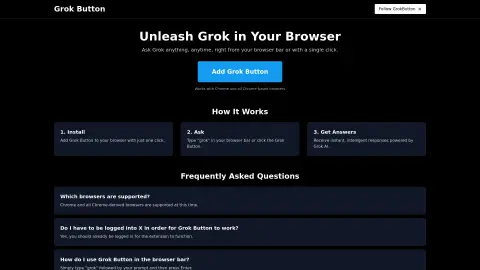
The Grok button is a browser extension that seamlessly integrates the powerful capabilities of Grok AI into your web browser. Users can submit their questions by entering “grok {your question}” in the browser address bar or by clicking the Grok button, and they will receive instant, intelligent responses.
How to use the Grok Button?
Install the Grok button extension. To use it, enter “grok” followed by your question in the browser address bar, then press Enter, or click the Grok button.
The core functionality of the Grok Button
Quickly access Grok AI from your browser.
Answer questions immediately
Integration with Chrome and Chrome-based browsers
Answer questions immediately
Integration with Chrome and Chrome-based browsers
Related
Reactor by ARC
AI-powered applications feature voice assistants, advanced AI capabilities, and efficient energy consumption.
Heyday
An AI-powered memory assistant that helps you recall forgotten information while you are browsing the web.
Robi AI
An AI-powered content creation platform for generating various types of content.
Butterfish Shell
An AI-powered command-line tool designed for shell prompts and automatic completion.
AI Flowchart
An AI-powered tool that generates flowcharts from text descriptions.
Slashy
An AI assistant that handles your emails for you.