AI TOOL / #02646
TeamSmart AI
Chrome extensions designed for use in AI tasks, such as content summarization, code generation, and tweet writing.
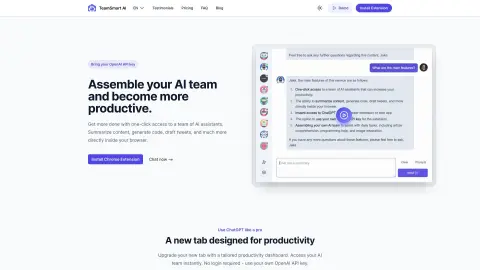
Introduction
Chrome extension for AI-powered tasks like summarization, code generation, and tweet drafting.
What is TeamSmart AI?
TeamSmart AI is a Chrome extension that provides users with one-click access to various AI-powered tools. It allows users to summarize content, generate code, write tweets, and more directly within their browsers, without the need to log in. The extension offers a high-quality library of suggestions, as well as multiple AI assistants tailored for specific tasks – all designed to save users time and enhance their productivity.
How to use TeamSmart AI?
Install the TeamSmart AI Chrome extension, add your OpenAI API key, and then select the AI team to assist you with your daily work. You can access the AI team by clicking on the extension icon or using the shortcut keys (Command+Shift+P on Mac, Ctrl+Shift+P on Windows).
The core functions of TeamSmart AI
One-click access to the AI assistant
Content summary
Code generation
Write a tweet
A high-quality prompt library
Customizable AI teams
Local data storage
A new tab page designed specifically to enhance productivity.
Content summary
Code generation
Write a tweet
A high-quality prompt library
Customizable AI teams
Local data storage
A new tab page designed specifically to enhance productivity.
Related
Cosine
AI software engineers use these tools for understanding code repositories, executing tasks, and collaborating with others.
PBI Pilot – Seu assistente de Power BI
Power BI utilizes generative artificial intelligence to enable real-time data interaction, queries, and chart generation.
iChatWithGPT
A personal AI assistant in iMessage for various tasks.
Scape
Orchestrating multiple coding agents on a Mac
DataSpark AI
A multi-agent platform for enterprise automation and growth.
Voiskey
AI voice input that understands the meaning of what is being said