AI TOOL / #02529
Text to Google Calendar
Chrome extension: Allows users to create Google Calendar events directly from highlighted text.
Introduction
Chrome extension to create Google Calendar events from highlighted text.
What is the Text to Google Calendar AI Chrome extension/plug-in?
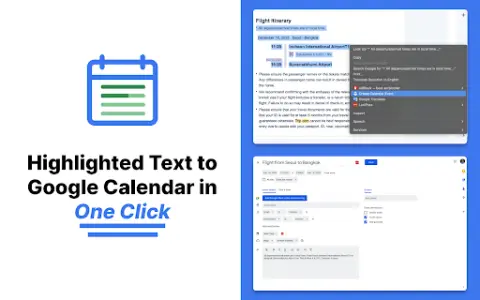
Text to Google Calendar is a Chrome extension designed to simplify the process of creating events on Google Calendar. It allows users to highlight text from emails or web pages and convert that text into calendar events with just one click, eliminating the need to manually copy and paste event details.
How to use the Text to Google Calendar AI Chrome extension?
Install the Text to Calendar Chrome extension. Highlight the relevant text containing event details (date, time, description, location) on a web page or in an email. Click the extension icon, and it will automatically use the extracted information to create a Google Calendar event.
The core functionality of the Text to Google Calendar AI Chrome extension.
Click to create an event based on the highlighted text.
Automatically fill in the time zone, location, and event details.
Easily create multiple and duplicate calendar events.
Automatically fill in the time zone, location, and event details.
Easily create multiple and duplicate calendar events.
Related
Tech News Summary by Concise AI
SimpleAI aggregates news from multiple sources and provides AI-driven analysis of those stories.
FlowSavvy
FlowSavvy is an intelligent scheduling tool that automates time division and task management.
iFlytek Loomy
iFlytek Desktop AI Assistant
AINA
End-to-end AI recruitment and interview platform
YourGPT Chatbot
An artificial intelligence-based chatbot platform that helps businesses enhance customer support and automate operational processes.
OnDemand
A RAG AI-based PaaS that enables seamless AI integration and business transformation.