AI TOOL / #02467
ChatGPT Chart Previewer Chart Maker
A free, customizable chart library suitable for web applications.
Introduction
Free, customizable charting library for web applications.
What is the ECharts Data Visualization Chrome extension/plug-in?
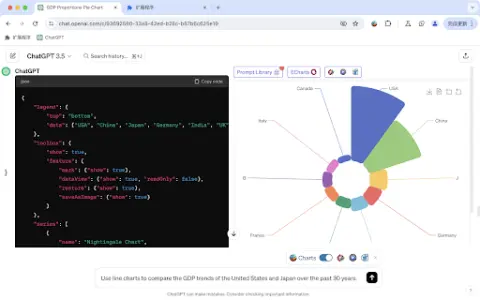
ECharts is a powerful and free charting and visualization library that offers a wide range of chart types, including line charts, bar charts, pie charts, scatter plots, and maps. Its design is highly customizable and interactive, making it ideal for creating dynamic and visually appealing data visualizations that can be used in web applications, dashboards, and reports. ECharts supports both declarative configuration and imperative programming, allowing developers to customize charts according to their specific needs. It also provides features such as data scaling, tooltips, and visualization coding, which enhance the ability to explore and understand data.
How to use the ECharts Data Visualization Chrome extension/plug-in?
To use ECharts, you need to include this library in your HTML file, define a container element for the chart, and then configure the chart options using JavaScript. The option object specifies the chart type, data, axes, and other visual properties. ECharts provides extensive documentation and examples to help users create various types of charts.
The core functionality of the ECharts data visualization extension for Chrome.
A variety of chart types, including line charts, bar graphs, pie charts, scatter plots, and more.
Highly customizable and interactive
Supports both declarative configuration and imperative programming approaches.
Data scaling and tooltips
Enhanced visual coding for data exploration
Highly customizable and interactive
Supports both declarative configuration and imperative programming approaches.
Data scaling and tooltips
Enhanced visual coding for data exploration
Related
Text Assistant
A Chrome extension that utilizes the OpenAI API for writing, proofreading, and analyzing text.
THERAi
Personalized AI companions that possess memory capabilities, advanced tools, and the ability to generate images.
AI Anywhere
Desktop AI assistants integrate ChatGPT into all applications to enhance productivity.
Converting Images to PDF (PixPix)
Combining multiple images into a PDF file
Smarty: Your Productivity Sidekick
Smarty is a conference scheduling software as well as an artificial intelligence personal assistant.
Learnbase
An AI-powered personalized learning platform that allows you to tailor your educational experience and track your progress accordingly.